Jan 30, 2019 · 8 min read
Complete WooRank Review – Should You Use It?
Would you like access a fast SEO audit tool? If so, then check out WooRank.
Then WooRank may be for you.
In this review, I’ll go over the tool’s features. Then, I’ll cover some of its pros and cons so you can make an informed decision.
 WooRank is more than just an auditor. It also offers digital marketing insights and keyword analysis.
While it’s not a “one-stop shop” in terms of the services it provides, it’s definitely a great place to get started.
As of now, the tool boasts more than a million users with 700 new accounts added each day.
Clearly, they’re doing something right at WooRank.
WooRank is more than just an auditor. It also offers digital marketing insights and keyword analysis.
While it’s not a “one-stop shop” in terms of the services it provides, it’s definitely a great place to get started.
As of now, the tool boasts more than a million users with 700 new accounts added each day.
Clearly, they’re doing something right at WooRank.
Website Review
First and foremost, WooRank offers a comprehensive website review. It crawls your site and offers actionable insights about how to improve it. You can view the website review right now by visiting the home page and entering your URL in the input bar at the top. You’ll only have access to some of the tool’s features, but you’ll get an idea of what you can expect. At the very top of the website review, you’ll see a score. You might be familiar with that kind of high-level analysis if you’ve ever used Google’s PageSpeed Insights. The score ranges between 0 and 100, with 100 being the best. WooRank also color-codes your score. You’ll see that it’s displayed in green, yellow, or red, depending on your site’s SEO-friendliness. Unsurprisingly, green is good, yellow is okay, and red is bad.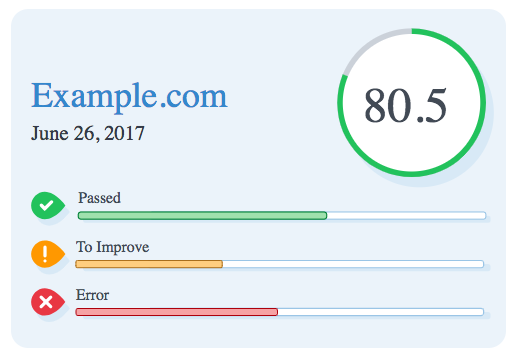
- Headings
- In-page links
- Broken links
- XML sitemap
- Blocking factors
- Schema.org markup
- Mobile-friendliness
WooRank Review: Keyword Tool
WooRank also includes a keyword tool that you can use to check how your site ranks for search terms relevant to your niche. Additionally, the tool will show you how your rank for specific keywords stacks up against where your competitors are ranking for those same keywords. WooRank also identifies new keywords based on the content that you’ve already published. That feature might uncover some keywords you hadn’t even considered. Even better: your competitors might not have considered those keywords, either. Next, the tool enables you to organize all your keywords in a single place for easy access. If you’d like to localize your keyword tracking, WooRank offers regional search data as well. That will help you get more customers or clients in your own vicinity. The reports that the tool produces are also flexible. You can sort them based on keyword volume or rank. WooRank also shows you how well you’re doing over time. Line graphs display your rank history for each keyword.WooRank Review: SEO Monitoring
WooRank babysits your website while you sleep. For starters, the tool will send you weekly email reports that alert you to issues associated with your website. You’ll also get info about the metrics that matter to you the most. If your site goes down, WooRank is on it. The tool will alert you with an email as soon as the problem is detected. Email alerts can also give you details about keyword rankings if that’s something you’d like to see.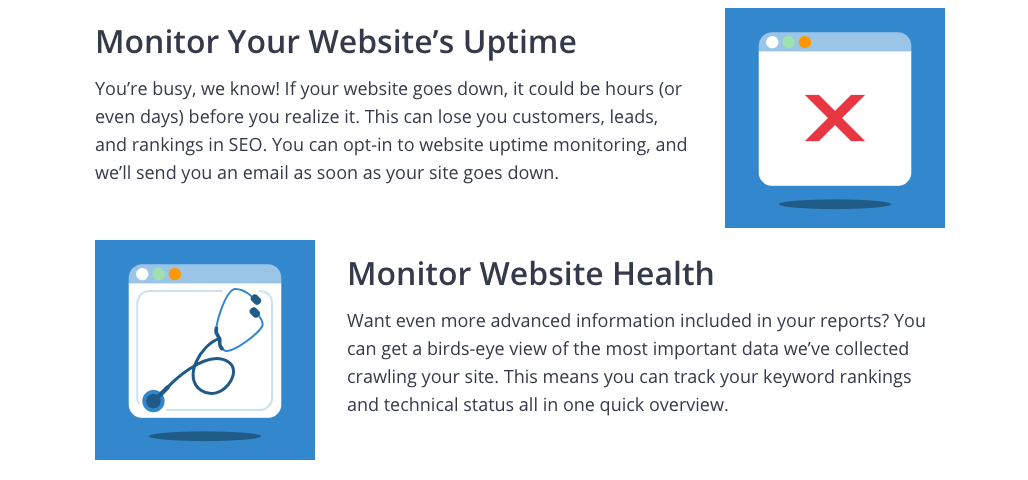
Sales Tools
WooRank includes a Lead Gen tool that can help you get more customers. Use it to capture more email addresses. Then, you can use marketing automation to reach those people while they’re still “warm.”WooRank Revie: Reporting
No digital marketing tool is complete without a reporting component. Fortunately, WooRank excels in that area. For starters, you can create white-label PDF reports. Add your own branding to them so clients think that you’re using a home-grown solution. You can also use the monthly reports to show your clients how you’re helping them achieve their goals. WooRank allows you to generate reports from your website or with the Lead Gen tool.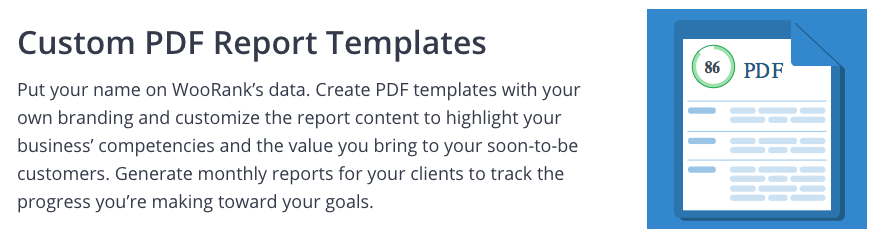
Pricing
WooRank offers 3 levels of service: Pro, Premium, and Enterprise. The Pro version goes for $59.99 per month. For that, you get unlimited website reviews, the ability to track 50 keywords, the ability to crawl up to 2,000 pages on a website, and a monitor that will notify you if your website goes offline. With the Premium version you can also create projects for up to 5 websites, generate white-label reports, track 250 keywords, crawl 10,000 pages on a site, and use the Lead Gen tool to find new customers. With the Enterprise plan, you can also give your team access to the WooRank account, add extra projects, use the API to develop custom apps, generate bulk reviews, mine data from millions of websites for insights, and contact support via phone. As is the case with many other digital marketing tools, you can try WooRank for free. The trial period lasts two weeks. The company will just place a $1 hold on your credit card or PayPal account during the trial. It will disappear if you decide not to continue with the service. WooRank also has a 48-hour refund policy. So if you forget to cancel, you can still get your money back.WooRank Review: Pros & Cons
Plenty of WooRank users have opinions about the product. Here are a few of them. First, let’s look at the pros:- Easy user-interface
- Keyword tool saves time
- FAQ is extremely helpful
- White label reports allow branding
- Easy to follow checklist highlights website issues
- Blog is a great resource for users looking to get more info about SEO
- It’s fast
- Doesn’t produce information overload
- Site analysis report includes links on how to solve issues
- Software runs in the cloud so there’s nothing to install
- Covers both onsite and offsite SEO
- Doesn’t allow access to some Premium features during trial period
- No client-specific login
- Not for SEO newbies
- Limited to a single user unless you pay for an Enterprise plan
- Pricing is a bit on the high side