Aug 28, 2018 · 12 min read
Complete Review of Sumo (SumoMe) – How It Works
“The Easiest Way to Turn Your Visitors Into E-commerce Customers.”
That’s the promise of Sumo, formerly known as SumoMe.
But does it live up to that hype? In this Sumo review, I’ll answer that question.

What Is Sumo?
Sumo isn’t just a tool. It’s a toolset. In reality, it’s a suite of services that you use to increase traffic, generate social engagement, and improve your conversion rate. Sumo doesn’t work in its own bubble, though. It plays nicely with some of your existing marketing solutions. It’s also got a WordPress plugin that’s easy to install and configure. Best of all, Sumo is rich in features that will take your online strategy to the next level. Let’s look at some of them.Sumo Review: Share
Very rarely will you come across a tool that’s more appropriately named than Share. Briefly put, Share “makes it stupid-easy for your visitors to share your content with their friends, family, and others with built-in social media buttons for your site. The more people share your site and content, the more viral traffic you get.” If you’re in the market for buttons that you can add to your site so visitors can easily share your content with their friends and followers on social media, Sumo has you covered.
- Set mobile-specific share options
- Download historical share data
- Use the tool with no branding
Sumo Review: Image Sharer
Speaking of sharing, you can enable visitors to share images on your site with Image Sharer. If you’re running a typical website, it’s difficult for visitors to share your images. Usually, they’ll have to download the pics by right-clicking on them. Then, they’ll have to upload them to a social media site. Why not make it easy for visitors to share your images while simultaneously getting more traffic to your site? You can do that with Image Sharer. Here’s how it works: the tool puts social media share icons on top of your images. When visitors see a pic they want to share, they just click the appropriate button. That’s it. You also get to choose where you want the buttons to show up on your images. They can appear on the top, bottom, right, left, or middle. If you’ve got a lot of imagery that you want people to share, you should go Pro with Image Sharer. That will remove the branding.Sumo Review: Highlighter
We’re still talking about sharing here. Highlighter empowers your visitors to highlight sections of your content and share only the highlighted part with friends and followers.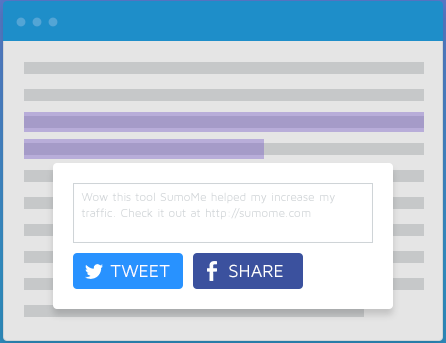
Sumo Review: List Builder
Got an email distribution list? If so, then you’ll love List Builder. Once again, let’s let Sumo itself describe the tool: “List Builder converts one-time visitors into lifelong readers and customers. Create professional-looking pop-ups that appear on clicks, timers and before people leave! With advanced drag-and-drop functionality, this is the most advanced (yet easiest to use) email capture tool on the internet.” As you can tell from that description, List Builder relies heavily on pop-ups to attract people to your email list. Although there are different configuration options available, it might be best to stick with the exit-intent pop-up so that you don’t disrupt visitors as they’re trying to read your content. You can also control the look and feel of the pop-up. That way, you’re not stuck with something that doesn’t work with your site design.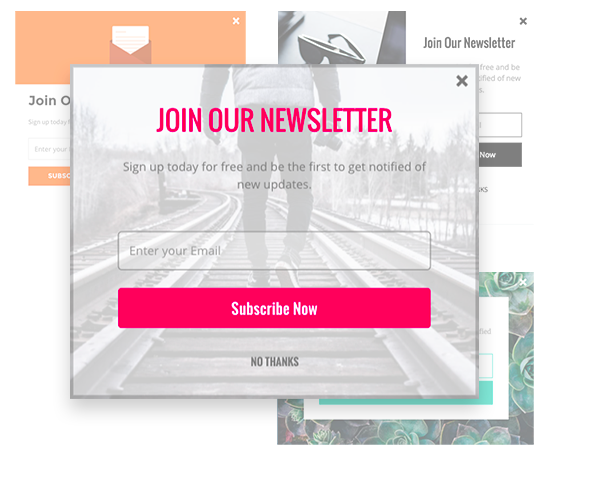
Sumo Review: Contact Form
You want to make sure it’s as easy as possible for customers to get in touch with you. That’s why Sumo’s Contact Form is so valuable. Once again, the tool offers a variety of templates that you can choose from. Pick a look that you think your customers will love and include it on your website. Also once again, you have total control over the look and feel of the form. Change fonts, colors, buttons, and the background as you see fit. You can also design the form with a WYSIWYG (What You See Is What You Get) layout. Just drag and drop to move elements around until you get the layout that’s best for your business. Sumo will also initiate an auto-response for every contact. Your customers will know right away that you’ve received the email. Contact Form Pro removes all the branding associated with the tool.Sumo Review: Google Analytics Integration
If you rely heavily on Google Analytics for your reporting (and you probably should if you don’t), you’ll be happy to learn that Sumo integrates with GA. In fact, it integrates so well that you can view your Google Analytics data right from the Sumo dashboard.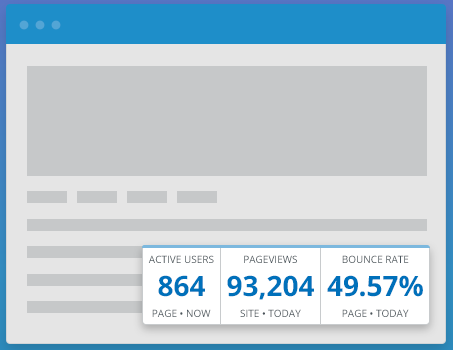
Sumo Review: Content Analytics
If you have a 2,000-word thinkpiece on your blog and 71 people clicked on that page today, how many of those people read your article all the way through? If you can’t answer that question, you need Content Analytics. With Content Analytics, you’ll see where your readers stop reading on a given blog post. It uses a visual display (similar to a heatmap) to show you how far people get into your content before bouncing off. Use that data to determine where you should put calls to action (CTAs). If people tend to only read the first third of your content, for example, then you wouldn’t want a CTA at the bottom. Content Analytics also offers real-time feedback so you won’t have to wait to see how much content your visitors read.Sumo Review: Heat Maps
No pun intended, but heat maps are hot right now. Fortunately, Sumo uses them. If you’re unfamiliar with heat maps, they show you where on your site people are clicking. Use that info to optimize your site so that visitors see the content you want them to see.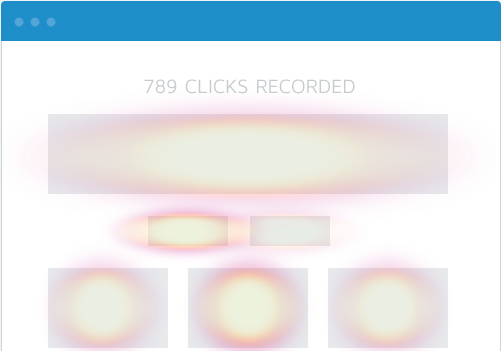
Sumo Review: The Plugins
I noted above that Sumo offers a plugin for WordPress. Use that so you don’t have to flip back and forth so much between two platforms. Once you’ve installed the WordPress plugin, all you have to do is click on the big, “My Apps” box from your admin console to access your toolset.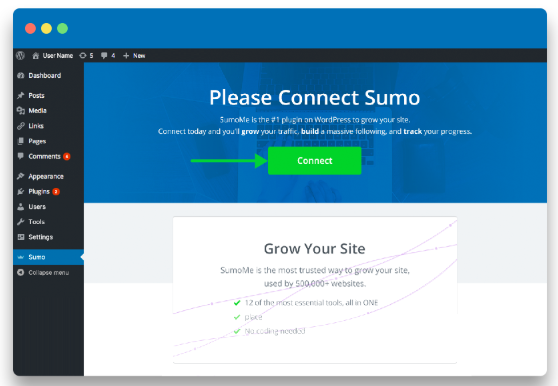
- Shopify – reduce cart abandonment with exit-intent pop-ups, create discount codes, and increase average order value with Smart Bars
- BigCommerce – grow your email list, convert website visitors into customers, and track your success
- Google Tag Manager – make posts go viral, get free traffic, and build a following
- Magento – integrate with MailChimp, create List Builder forms, and show welcome mats
What Users Are Saying
As you browse around cyberspace, you’ll find that Sumo users have a variety of opinions about the product, some of them good and some of them bad. Let’s go over what they’re saying. First, the good:- User interface is easy to understand
- Works great with Google Analytics
- Dashboard aggregates essential info
- A number of tools in one place
- Easy initial setup
- Help documentation is well organized
- Branding on the non-Pro version
- Coding issues pop up every now and then
- Premium prices are higher than competitors
- Some tools only work on the latest browsers
- Campaign organization isn’t intuitive
- Can only run on one PC