Nov 30, 2018 · 10 min read
Review of Optmyzr – Why I Kind Of Love This Tool
How would you like to optimize your PPC ads in a fraction of the time it currently takes you to do so? That’s the promise of Optmyzr.
In this review, I’ll cover Optmyzr in detail. Then, I’ll list its pros and cons so you can make an informed decision about whether it belongs in your digital marketing toolkit.
 I was working with our paid media team and they were doing some advanced integration with this Optmyzer. I was pretty impressed with how much it helped the team, so now I’m writing an Optmyzer review as a result.
Let’s dive into it.
Optmyzr enables you to launch, optimize, and gather insights on your SEM campaigns. And it does it all “without the hefty price tag.”
Maybe that’s why the tool was named Best PPC Management Software Suite at the 2018 U.S. Search Awards.
One-Click Optimizations
The big boast coming from the Optmyzr marketing team is that it offers “one-click optimizations.” In fact, the company actually trademarked that phrase. According to the website, you can “use Optmyzr to improve the performance of PPC accounts with one click.” The company promises optimizations in minutes, not hours. How does it do that? For starters, it automates data analytics so you don’t have to pore over spreadsheets searching for key data points. The tool also offers suggestions for keywords. That might seem unoriginal because plenty of other tools offer keyword suggestions. There’s a difference with Optmyzr, though. Two of the company’s founders worked for Google AdWords. So they know the kinds of keywords that lead to success. They’ve incorporated their experience into the Optmyzr algorithm. Beyond that, the tool also recommends keywords based on performance and semantic analyses. It will even advise you about negative keywords. Additionally, Optmyzr will identify and resolve issues surrounding duplicate keywords.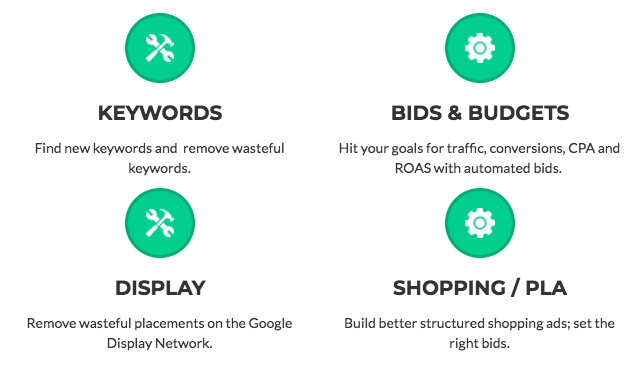
Optmyzr Review: Enhanced Scripts
Optmyzr also offers a really cool feature called Enhanced Scripts. In a nutshell, Enhanced Scripts offer marketing automation. But you don’t have to know how to write code to use them. All you have to do is copy and paste some generated code into your account. Then, you can update your settings using the the tool’s user interface. Optmyzr generates scripts in AdWords Scripts, an extension of Google Apps Scripts.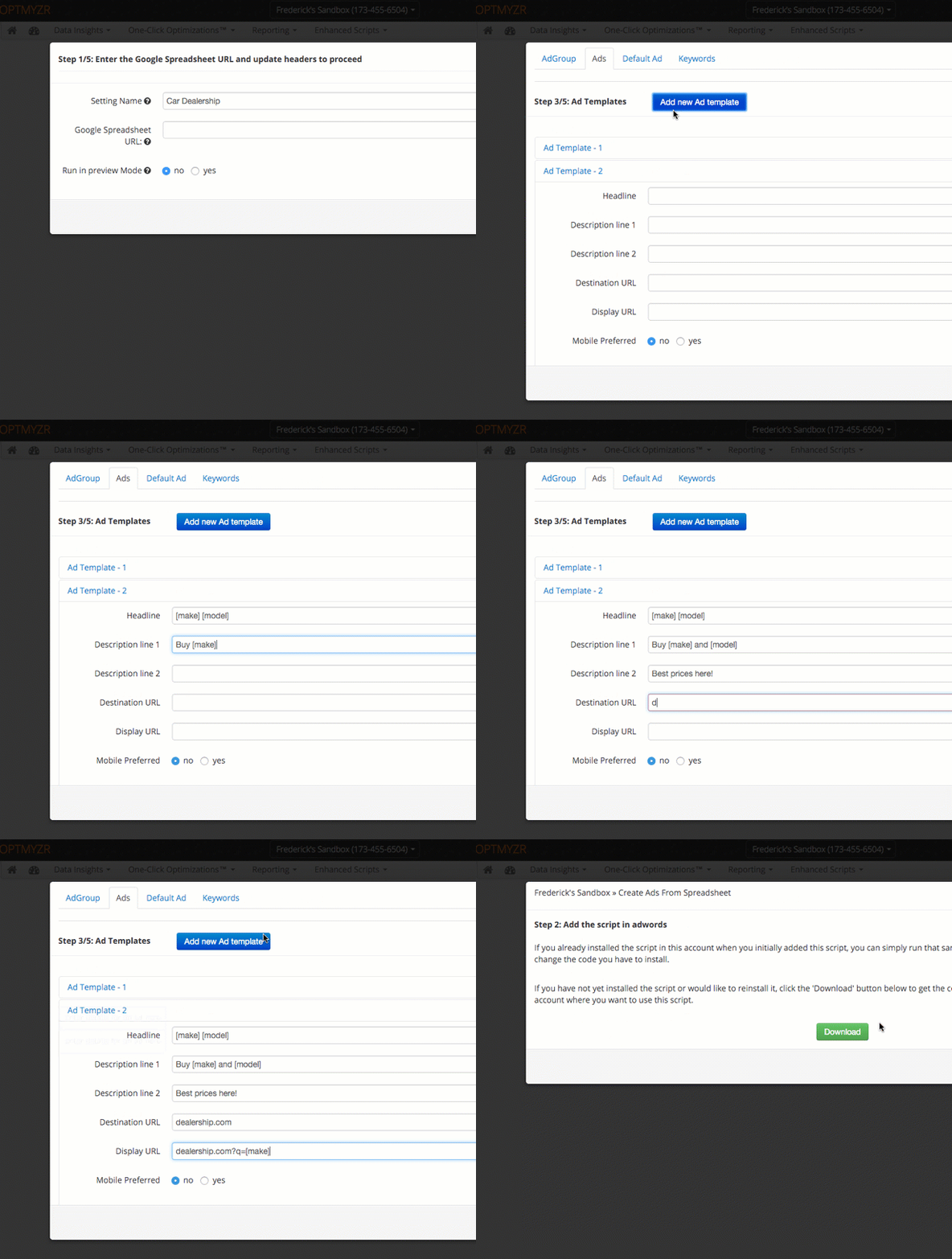
- E-commerce automation – Show ads for products that are in stock. Also, update prices and apply discounts.
- Account creation – Create a whole new account from a spreadsheet. Save time if you’re running a PPC management team with multiple clients.
- Bid adjustment – Optimize bidding for mobile ads. Adjust bids on an hourly or daily basis. Scripts enable you to do things that you can’t do on the Google Ads interface.
- Budget management – Stay within your budget with flexible spending settings. Pause ads, ad groups, keywords, or campaigns when a spending threshold is reached.
- Damage control – Pause ads when their respective landing pages are broken.
- Automated reports – Gather granular data by collecting hourly stats. Aggregate data to find out what’s working and what’s not.
Shopping Ads
How would you like to simplify the process of creating shopping ads? If so, then you’ll love Optmyzr. The tool supports shopping ads for both Google and Bing. Optmyzr offers a shopping campaign builder. It enables you to structure the hierarchy of your campaign so that you can group related products together. In fact, the tool will even auto-create product groups based on the attributes in your merchant feed. From there, you can use Optmyzr to create an ad group for a single product group. Alternatively, you can create separate ad groups based on other attributes. The tool also provides a shopping campaign refresher that will prevent your product groups and ad groups from getting out of sync with your data feed.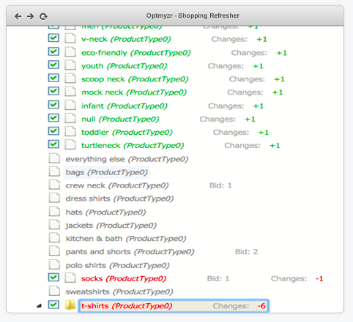
Optmyzr Review: Bid Management
Optmyzr gives you full control of the bidding process so that you can get the most bang for your buck. For starters, you can use the tool to automate bids. Apply logic and rules to your campaigns that you’d normally have to do manually. You can schedule bid changes on an hourly, daily, weekly, or monthly basis. Alternatively, you can automate bids based on target position, return on ad spend (ROAS), or target cost per action (CPA). Optmyzr even enables you to use offline data to optimize your bids. If you’re lacking data, the tool will aggregate info from campaigns similar to yours so that you can bid smarter. Bid management is one of the most complicated aspects of PPC. It’s also often one of the most time-consuming. If you’re struggling to generate a positive ROI with your online ad campaigns, you might need a tool to optimize your bidding. Optmyzr is a good place to start.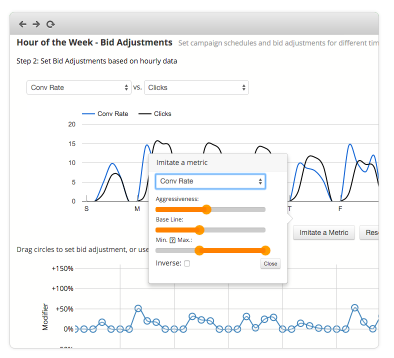
Campaign Automator
Campaign Automator lives up to its name. It’s Optmyzr’s standalone tool that enables you to create and update campaigns from your data. There are several benefits of automated campaigns:- Create campaigns more quickly – All you have to is specify a template and the tool will create a whole campaign on your behalf.
- Make bulk updates – Once you update your template, all campaigns based on that template are updated as well.
- Generate multiple templates – You can create templates based on product attributes, promotional status, condition, category, and more.
- Automate advertising – Let Optmyzr do the heavy lifting for you when it comes to pausing campaigns based on inventory level or other criteria.
- Offer targeted promotions – You might offer a promotion to people in one region but not in another. Optmyzr will ensure that only the right people see your discounted offer.
- Integrate with the rules engine – If you’d like to run smart campaigns with automated bidding, you can do that with the Campaign Automator.
- Travel – Show ads for the lowest price city pairs or depending on what kind of hotel room is available. You can also set criteria for car rentals, cruises, and tours.
- Home Services – Show region-specific promotions. Pause campaigns when your work crews are fully booked.
- Car Sales – Only advertise in-stock vehicles. Show the number of cars you have in stock for a specific make and model.
Optmyzr Review: Data Insights
Optmyzr offers insights, not just data. That means it crunches the numbers for you so that you can make informed decisions about your PPC campaigns. You won’t have to spend hours looking at spreadsheets. Instead, Optmyzr will aggregate data from a variety of sources, analyze it with artificial intelligence (AI), and share the most important findings with you. And you can still export those findings to a spreadsheet, if you want to do so. Optmyzr also enables you to dig deeper into your numbers to find meaningful insights based on market segments. Use that info to optimize targeted campaigns that will give you an even better return on investment (ROI).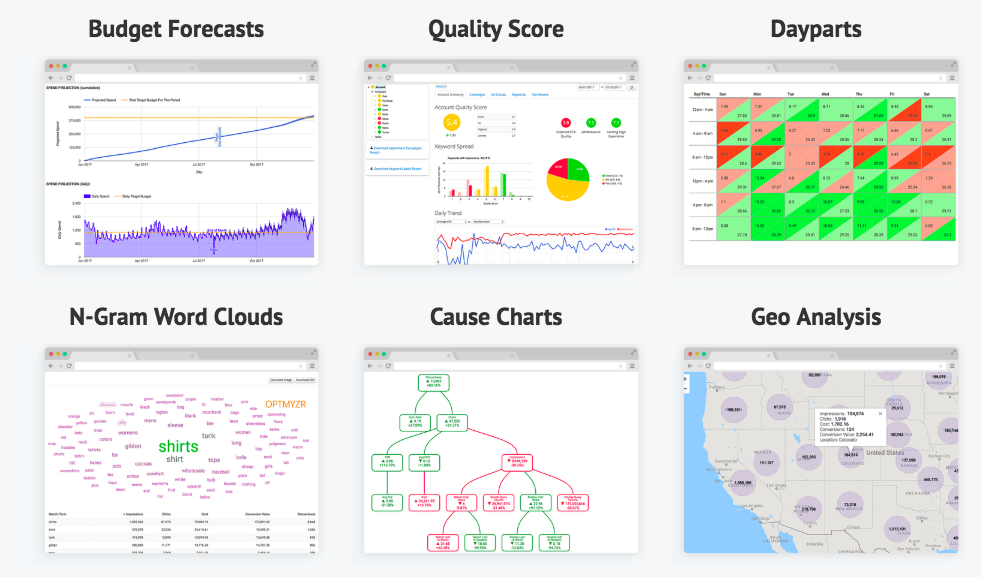
PPC Reporting
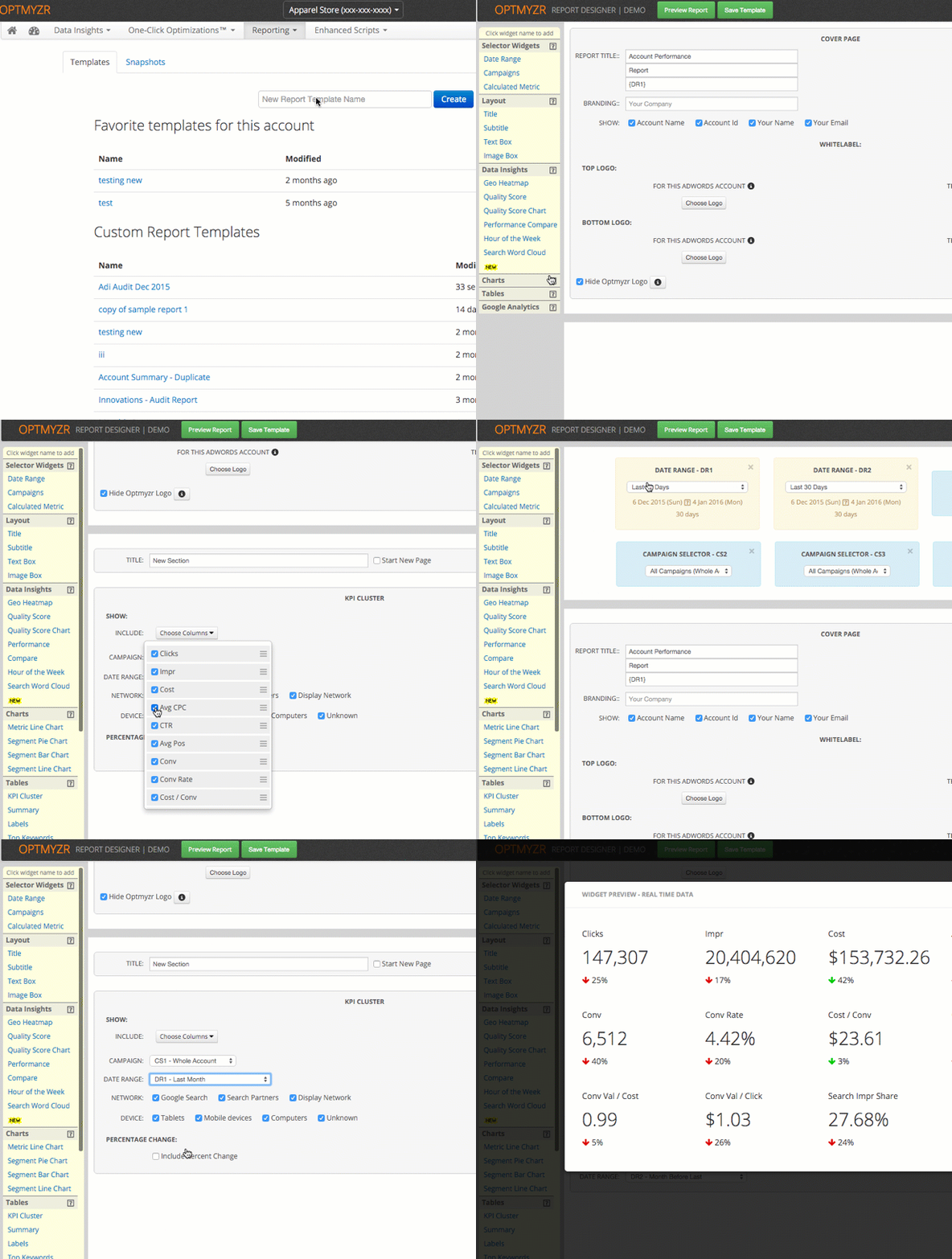
No digital marketing tool is complete without reporting. Fortunately, Optmyzr enables you to monitor the performance of your PPC accounts so you can quickly make any necessary changes. For starters, you can see your data in a variety of different ways, including:- Word clouds
- Geo heatmaps
- Hour-of-week performance
- Quality Score calculations
- And more…
Optmyzr Review: Pricing
Optmyzr starts at $249 per month for Regular service. For that, you’ll get everything except:- Advanced reporting features
- Advanced shopping features
- Rule engine and custom optimizations
- Custom domain for reports
Pros and Cons
Let’s see what people from around cyberspace have to say about Optmyzr. First, the good:- Outstanding keyword and bid tools
- Detailed reporting
- Tracks Quality Score over time
- Easy to follow user interface
- Saves time
- Offers automated analysis
- Library of very useful scripts
- Little help with display campaigns
- Keyword suggestions need improvement
- Tool rolls out new features without explaining them
- No paid social integration
- Amount of data is overwhelming
- Have to run separate reports for Bing and Google Ads