Jul 7, 2018 · 11 min read
Complete Review of Leadpages (What You Should Know)
“Turn clicks into customers.”
That’s the promise of Leadpages, a landing page builder. But does it live up to the hype?
In this article, I’ll answer that question.
Leadpages Review: An Overview
Leadpages creates landing pages and popups that help you collect email addresses. In other words, if you’re struggling with building an email list, then Leadpages is a product you should consider. How does the tool make your life easier when it comes to finding qualified leads? The answer begins with one word: templates. Leadpages gives you access to more than 150 professionally designed templates. Pick one of those and you won’t have to create a landing page from scratch. Those templates, by the way, span a variety of industries, including:- Real estate
- Travel
- Photography
- Fitness
- Ecommerce
- Ebook
- Lead capture
- Opt-in
- Webinar
- Newsletter
- Thank you
Leadpages Review: Facebook Integration
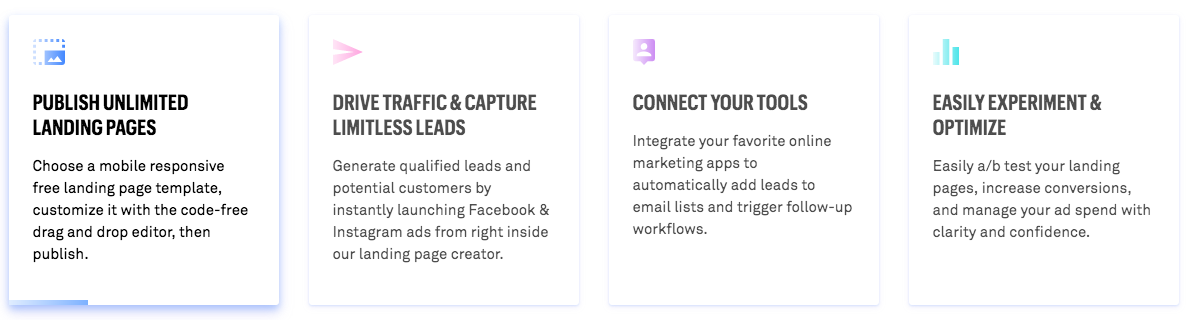
Leadpages plays nicely with Facebook. For starters, the platform offers an integrated Facebook ad builder. It will pull content from your landing page to create a message that will resonate with your market. Additionally, Leadpages offers targeting tools so that you can reach the right audience. That way, you don’t waste money by showing your ads to people who won’t engage. Finally, the tool offers automated pixel placement. You won’t have to struggle with placing Facebook code on your landing page.WordPress Integration With Leadpages
Leadpages also has a WordPress plugin. That will enable you to configure your landing pages and popups from within the admin console. For example, you can use the plugin to specify one of your landing pages as a standard WordPress page. It will even get its own custom URL. You can also use the plugin to make a landing page your home page. If you’d like to specify that your popup is exit intent or on a time delay, you can do that from within the WordPress back end as well.Leadpages Review: Other Integrations
In addition to Facebook support, Leadpages also works with other tools. The most important of those tools, perhaps, is Zapier. Why is Zapier so important? Because it’s a tool that’s designed to connect different apps with each other. Right now, Zapier supports integrations between more than 1,000 apps. In other words, once you’ve integrated with Zapier, you’ve pretty much integrated with everything. Beyond that, Leadpages also integrates with other popular tools, including:- Stripe
- Aweber
- Calendly
- GetResponse
- Google AdWords
- Google Analytics
- Hubspot
- Mailchimp
- Marketo
- Paypal
- Salesforce
- Shopify
Checkout Creation
If you’re running an ecommerce site, you’ll be happy to learn that Leadpages enables you to drop a checkout on any landing page. Even better: you can put a checkout on a popup. That’s a great feature if you’ve got a hot product in a niche market and you think that your leads might be interested in making a purchase right away.Leadpages Review: The Highest Converting Template
One really cool feature of Leadpages is that it enables you to sort landing page templates by conversion rate. That way, you can pick a template with a track record of success.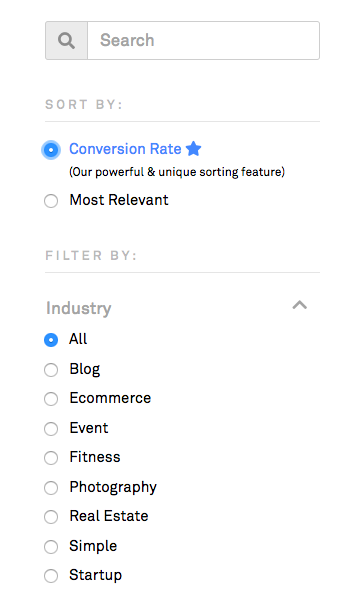
Leadpages Review: Premium Templates
As I mentioned above, Leadpages offers premium templates that you can purchase. Unfortunately, you’re probably going to need to spend that extra money when you sign on with the service. Why? Because the standard templates look a little too familiar. With 43,000 customers, it’s safe to say that you’ve probably seen the Leadpages standard landing pages somewhere. So have your customers. So if you want your brand to stand apart from the crowd, you’ll have to pick up a template that everybody else isn’t using. That’s going to cost you some bucks. Also, the high-end templates have a better design overall.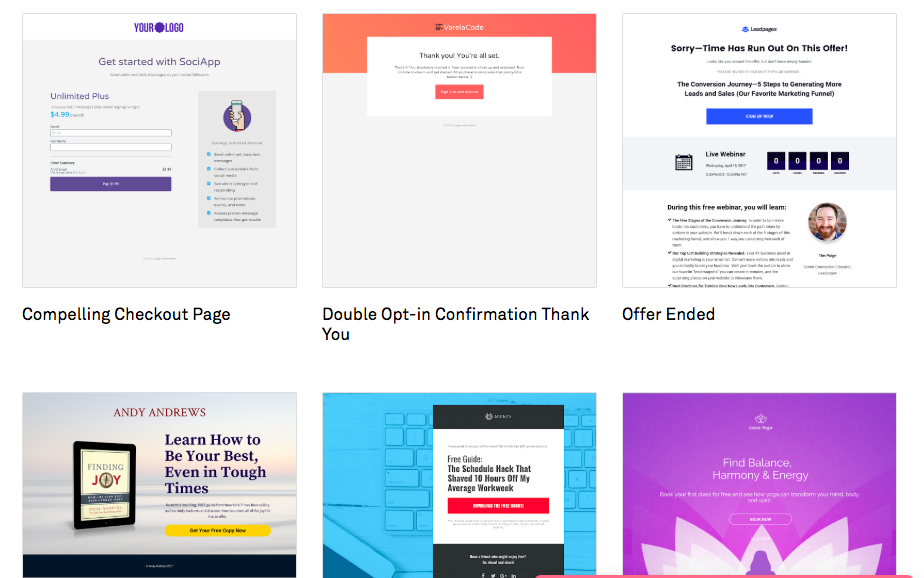
Leadpages Review: Two Editors
Leadpages has two editors: the standard editor and the drag-and-drop editor. The standard editor was the only editor offered on the platform until 2016. That’s when Leadpages added the drag-and-drop editor. You use the standard editor to customize most of the templates. It’s easy to use but lacks in flexibility. For example, you can’t move widgets around. Also, you can’t add elements (but you can hide them).
- Change text font and verbiage
- Change element colors
- Change out images
- Embed video
- Alter the background image
- Include a hyperlink
- Anything you can do in the standard editor
- Add a widget (such as a progress bar, icon, headline, text, comment, countdown, image, video, space, form, line, HTML element, or calendar)
- Move widgets around
- Browse through the icon library and include an icon
- Access some Google fonts
- Include alt text for images
- Set a cover overlay for a background image
- Create new sections
- Duplicate existing sections
- Split-testing (yes, really)
- Resize widgets (most of the time)
- Overlap widgets
- Add a parallax background
- Add headline tags (H1, H2, etc.)
- Access an image library
- Upload additional fonts
- Align widgets
- Include advanced fields like gender, birth date, etc.
Leadpages Review: A/B Testing
As I mentioned above, Leadpages supports split-testing. That’s a necessity with a tool that’s designed to maximize conversions. The platform follows the standard A/B testing pattern. It allows you to display different versions of your landing page or popup so that you can see which one gets you the most clicks.
Leadboxes
Leadboxes are opt-in forms that include a call to action (CTA). You can set up a Leadbox that’s triggered by a simple button click. You can also create one to kick off a two-step opt-in to your email distribution list. The platform makes it easy to create Leadboxes. However, you’re limited when it comes to styling options. In fact, there’s only one type of Leadbox style available. You might have seen it before: it’s the one with the animated progress bar.Leadpages Review: Leaddigits
Are you into SMS marketing? If so, then you’ll likely appreciate Leaddigits. You can use that feature to capture emails via a text message. Here’s how it works: a prospect texts a simple phrase to a five-digit phone number. The platform texts the person back, asking for an email address. The prospect replies with his or her email address (ideally). Here’s how you might use it in real life: let’s say you’re at a conference. You’re running a booth where you meet lots of people and talk about your business. Obviously, it would be difficult to ask all those prospects for an email address on the fly. Instead, you post a sign at your booth that dangles a carrot in front of your best prospects. That sign might say: “Get Your Free 15-Point Guide to SEO in 2019! Learn what the pros know that you don’t! Text SEOSECRETS to 43434.” Your prospects see that and text “SEOSECRETS” to 43434. They’ll get a reply asking for the email address where they want to receive a link to the PDF document with the valuable info. Of course, when they provide that email address, you’ll add it to your distribution list. That’s an “out of the box” way to get more leads. It’s far less disruptive than popups that appear on almost every digital marketing website these days.Leadpages Review: Leadlinks
Leadlinks make it easy to increase your conversion rate. They’re special links that you include in a broadcast email. When users click on the link, they automatically “convert.” For example, let’s say you put a Leadlink in an email so that people can sign up for your upcoming webinar. When recipients click on that link, they’re automatically signed up. No further action is necessary. Keep in mind, though: you can’t use Leadlinks with the 1ShoppingCart or AWeber platforms. Their terms of service prohibit that.Leadpages Review: Pricing
As with most marketing tools, Leadpages charges you per month. Pricing ranges from $25 to $199, depending on the level of service you’re looking for. That’s at the annual billing rate. If you want to go month-to-month, it will cost you at least $37 per month. The lowest level of service doesn’t even offer split-testing. So that’s probably not worth the investment. The next level of service, which will set you back $48 per month, does offer A/B testing. But it doesn’t support advanced integrations with tools like Marketo and Salesforce. Leadpages offers a free trial. You’ll have to provide a credit card, though.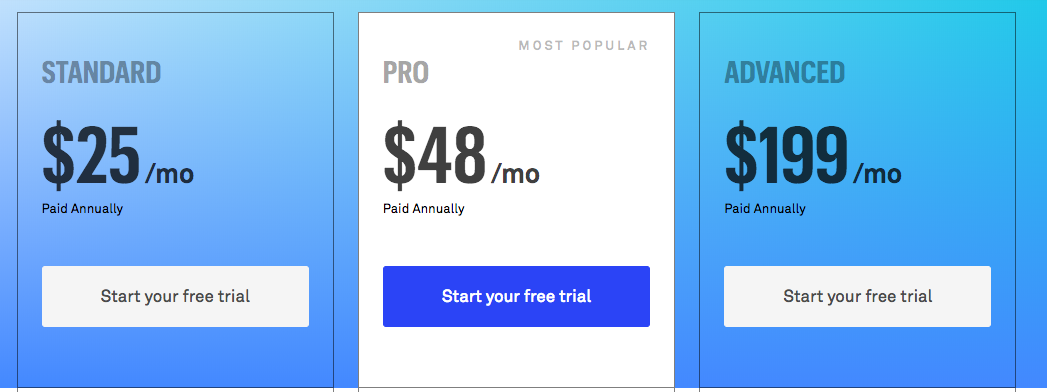
Wrapping It Up: The Pros and Cons
I’ll conclude this Leadpages review by going over a summary of the platform’s pros and cons. Pros:- User-friendly. The learning curve is minimal.
- Saves time. That’s because it’s much easier to create a landing page with GUI than it is with raw HTML.
- Beautiful templates. Although some of the templates lack flexibility, they’re really nice right out of the box.
- Easy sorting. Leadpages lets you sort landing pages by conversion rate. That means you could find a winning design in just a matter of minutes.
- Integrations. The tool integrates with many popular marketing platforms.
- Not very flexible. If you want to make significant changes to some of the templates, you’re out of luck.
- Limited styling options. You might find it hard to produce a landing page that matches your branding.
- Noticeable bugs. All tools have their flaws. The bugs on Leadpages seem to be more noticeable than on other platforms.
- High pricing. You don’t get a whole lot for the money.
- Poor user experience. Don’t be surprised if you get frustrated with the user interface. Although it’s easy to learn, it doesn’t always respond the way you think it will.