Jan 30, 2019 · 8 min read
Complete AdStage Review – Should You Use It?
Wondering if AdStage is the tool for you?
Find out in this full review.
 Fashion e-tailer MVMT was struggling to reach customers at scale. The company needed an automated solution to optimize its social media ad campaigns and increase sales.
That’s when management decided to test-drive AdStage, a closed-loop marketing and automation platform.
MVMT applied AdStage optimization rules to its Facebook campaigns. As a result, the company saw a revenue lift of over 100%, an 18% decrease in acquisition costs, and a 100% improvement in its conversion rate.
All without hiring a single new employee.
According to Justin Kassan, Director of Acquisition at MVMT: “On any given day, I have at least 2,500 ads running live. With AdStage, I can edit ads in bulk, scale up and down, control budgets, and raise bids quickly. Very simply, it saves me time.”
Those are the kinds of benefits that AdStage can bring to your business as well.
Fashion e-tailer MVMT was struggling to reach customers at scale. The company needed an automated solution to optimize its social media ad campaigns and increase sales.
That’s when management decided to test-drive AdStage, a closed-loop marketing and automation platform.
MVMT applied AdStage optimization rules to its Facebook campaigns. As a result, the company saw a revenue lift of over 100%, an 18% decrease in acquisition costs, and a 100% improvement in its conversion rate.
All without hiring a single new employee.
According to Justin Kassan, Director of Acquisition at MVMT: “On any given day, I have at least 2,500 ads running live. With AdStage, I can edit ads in bulk, scale up and down, control budgets, and raise bids quickly. Very simply, it saves me time.”
Those are the kinds of benefits that AdStage can bring to your business as well.
“Close the Loop”
If you browse around the AdStage website, you’ll undoubtedly come across this phrase: “close the loop.” But what does it mean? It’s a reference to closed-loop reporting, a marketing concept that AdStage supports on its platform. Closed-loop reporting bridges the gap between data collected on marketing automation platforms and data collected from sales. It’s a way to track the digital marketing sources that bring in the best leads. AdStage closes the loop by offering a service that consolidates analytics from different platforms. Beyond that, the tool also simplifies workflows and makes it easy to share insights with team members. In the next few sections, I’ll go over the various AdStage features one by one.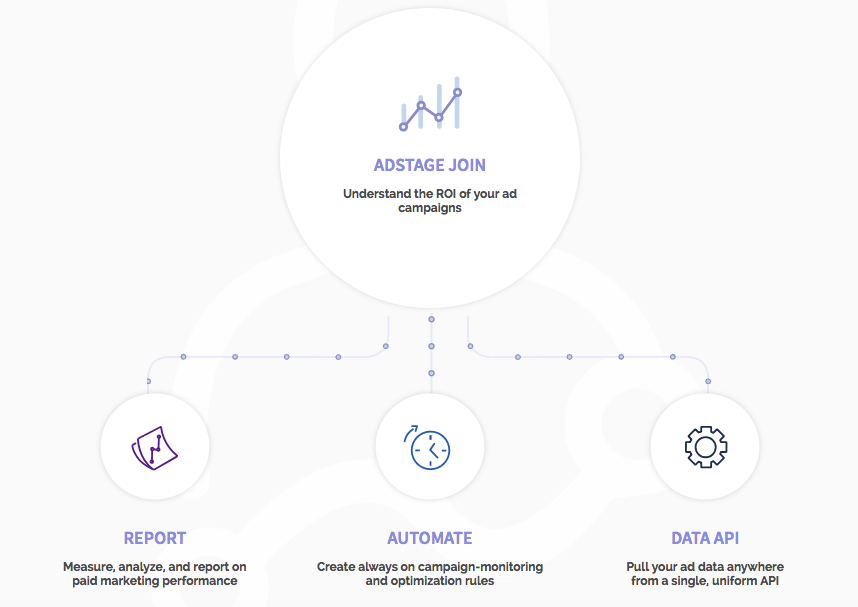
AdStage Review: Integrations
AdStage enables you to visualize your digital campaigns from a variety of networks in one place. That’s how you can determine which channels are giving you the best ROI. Here are the ad networks that AdStage currently supports:- Google Ads
- LinkedIn Ads
- Instagram Ads
- Bing Ads
- Twitter Ads
- Yahoo Gemini
- YouTube Ads
- Google Analytics
- Google Sheets
- HubSpot
- Google Data Studio
- Slack
- Salesforce
AdStage Review: Reporting
AdStage gives you access to a custom report builder. Use it to produce the kinds of reports you or your clients are looking for. The platform even makes it easy to create reports with a user-friendly interface. Just drag and drop tables and widgets as you see fit.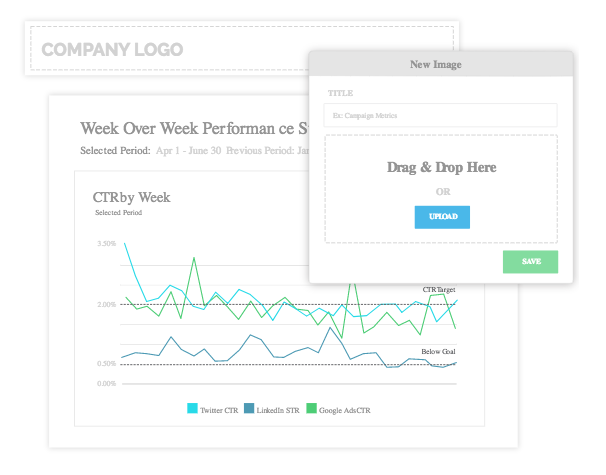
- Import your conversion data to understand campaign ROI/ROAS.
- Define your own key performance indicators (KPIs) for all ad networks.
- Visualize performance with cross-network analysis.
- Produce white-label reports that you can turn over to clients.
- Filter results to view specific performance info.
- Produce reports automatically and send them out on a daily, weekly, or monthly basis.
Automation
The more you can automate, the more time you’ll have to devote to building your business. Fortunately, AdStage enables you to put repetitive digital marketing tasks on auto-pilot. First, the platform enables you to “combat ad fatigue” by rotating and scheduling new ads based on schedule or performance. Additionally, you can create optimization rules with simple if/then logic. The “if” part of that equation can evaluate various metrics, such as ROAS or CPA. The “then” part of the equation can update ad spend, budget allocation, and other aspects of your campaign. AdStage also allows you to schedule your ads to run a specific times during the day. That’s helpful if people in your target market tend to confine their web habits to well-defined hours. You can even choose to run your ads on specific days of the week. AdStage also lets you send email alerts so you get a report in your inbox about how your campaigns are performing. If you need to get involved with manual updates, you can take advantage of the platform’s bulk editor. Use that to update several ad campaigns at once.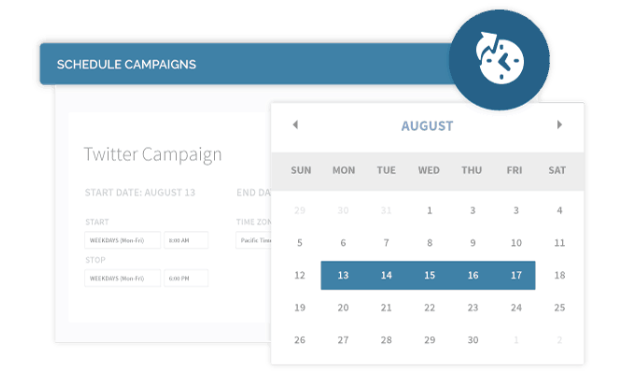
AdStage Review: Pricing
AdStage offers four products:- AdStage Report
- AdStage Automate
- AdStage Data API
- AdStage Join
- Core – $1,048 per month for up to $50,000 in monthly ad spend.
- Pro – $1,328 per month for up to $150,000 in monthly ad spend.
- Elite – $1,748 per month for up to $250,000 in monthly ad spend.
- Enterprise – Call for pricing on unlimited ad spend
The Pros and Cons
As with any other digital marketing tool, people who use AdStage have good and bad things to say about it. Here are some of the product reviews from around cyberspace. First, the good:- Excellent reporting capabilities that are easy to use
- Strong onboarding/training process
- Outstanding customer service
- Folder feature enables users to group similar campaigns across channels
- Saves countless hours of manual work
- Great “one-stop shop” analytics dashboard
- No Snapchat support
- Lacking “bells and whistles” you might find on other platforms
- Sometimes users have to reconnect to a platform
- UI is non-intuitive in some spots
- Platform is slow at times
- No ability to create custom columns in reports (such as average order value)