AI platforms for business:
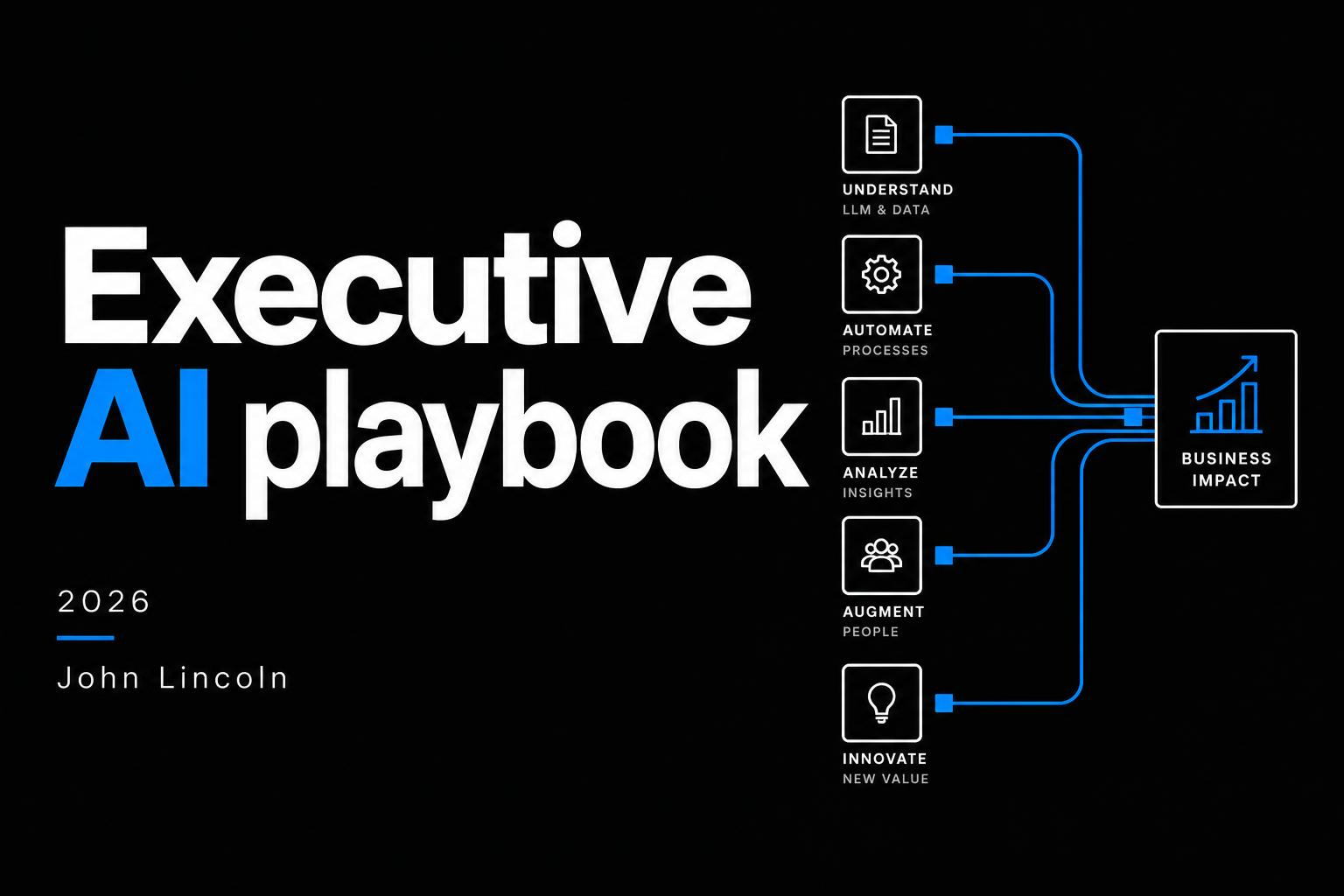
Executive AI playbook.
An executive guide to choosing the right AI tools, connecting their strengths, and turning a recurring task into measurable business value.
01 / Executive playbook
Stop choosing a winner. Start choosing the work.
The best AI platform for business depends on the job, the information it needs and who owns the result. My firsthand assessment: ChatGPT is my strongest all-around generalist, Gemini works especially well near Google Workspace, Claude excels at complex development, Perplexity is useful for focused research, and Meta AI is a capable personal assistant. These are judgments from use, not a controlled benchmark.
The interesting part is the overlap. Many of the workflows below can be done to some degree across several assistants. An existing Google, Microsoft or ChatGPT-centered environment may be enough; use a specialist when its capabilities justify the extra handoff. The business process matters more than assembling the longest list of tools.
- 01Recurring task
- 02Trusted context
- 03Best-fit capability
- 04Accountable result
Decision framework · Start with an owned workflow, not a universal platform ranking.
01
Reason & plan
ChatGPT · Claude · Gemini
02
Research & verify
Native research · Perplexity
03
Build & implement
Claude Code · AI Studio
04
Produce media
Google Vids / Flow · HeyGen · ElevenLabs
05
Route & record
Native apps · approved connectors · CRM / ERP
02 / Executive playbook
Five platforms. Different strengths.
| Business fit | ChatGPTThe generalist | GeminiThe Google-connected assistant | ClaudeThe deep-work specialist |
|---|---|---|---|
| Best-fit work | Planning, analysis and a central workspace | Google Workspace, quick tasks and visual work | Complex development and long-form synthesis |
| Strengths | Projects, connected apps, scheduled tasks and business discovery | Workspace-connected drafting, reusable Gems and Google knowledge tools | Claude Code supports repository-based engineering; Claude also offers web search. |
| Watch-outs | Verify figures and sources; memory is not a governed company database. | Workspace access, features and permissions depend on the product and plan. | Production still needs deployment, security and maintenance ownership; code generation alone is not delivery. |
| Reference | Official source ↗ | Official source ↗ | Official source ↗ |
Editorial guidance, not a benchmark ranking. John's preferences are personal experience; availability and access vary.
ChatGPTThe generalist
ChatGPT goes deeper than many people think. In my experience, its advantage is not just answering questions: it is becoming a business interface for research, applications, commerce and customer discovery. I see integration with that environment as strategically important even when using ChatGPT as your daily assistant is optional. The more you use it, the better you may understand how to integrate with it; that is my assessment, not a measured conversion result.
OpenAI documents Projects for shared files and instructions, ChatGPT apps for supported information retrieval and actions, and scheduled tasks for recurring work. These are different capabilities, not unrestricted automation. Check the app, account, workspace permissions and supported action before building a workflow around them.
- 01The generalist
- 02Planning, analysis and a central workspace
- 03Verify before acting
Verify figures and sources; memory is not a governed company database.
Commerce is also concrete: OpenAI's shopping documentation describes merchant links and eligible in-chat checkout, while its Agentic Checkout specification describes merchant integration on existing payment infrastructure. Its ChatGPT advertising documentation establishes an advertising product with eligibility and rollout limits—not evidence that it is already a huge ad platform. Shopping results are distinct from ads. For e-commerce and lead generation, assess this as an emerging discovery and transaction channel; no sales uplift is assumed here.
GeminiThe Google-connected assistant
Gemini's advantage is working near the records a Google-first company already uses. I find native email work more trustworthy within that familiar environment than moving it between unrelated systems. That is my confidence in the workflow, not proof that Gemini makes fewer errors. Gemini in Gmail documents drafting and refining messages; the user still reviews the draft and sends it.
Google documents Gemini in Workspace and reusable Gems. For source-based knowledge work, NotebookLM is a purpose-built option with answers linked to notebook passages. A Workspace-connected Gemini workflow can also work close to company files. Choose by the task and access requirements: NotebookLM is not automatically a help-desk integration, and neither tool makes an answer correct merely by citing a source.
- 01The Google-connected assistant
- 02Google Workspace, quick tasks and visual work
- 03Verify before acting
Workspace access, features and permissions depend on the product and plan.
ClaudeThe deep-work specialist
Claude stands out for complex engineering in my experience, though I find it less intuitive for everyday executive work. Anthropic's Claude Code documentation covers codebase work, editing and command execution. Its web search also supports external research; it is inaccurate to describe Claude as lacking native search.
The downside I see is the gap between producing software and operating it. Claude still relies heavily on people and a configured environment to bring work into production. Claude Code GitHub Actions can automate repository work, so this is not a claim that deployment automation is impossible. Someone still needs to own hosting, credentials, permissions, release checks and maintenance. A generated app is not a dependable business system until those pieces work.
- 01The deep-work specialist
- 02Complex development and long-form synthesis
- 03Verify before acting
Production still needs deployment, security and maintenance ownership; code generation alone is not delivery.
PerplexityThe research layer
Perplexity is especially useful for focused research in my experience, but its practical scope feels narrower than a general-purpose assistant. That makes it a specialist layer rather than an automatic replacement for a company's daily work environment.
Its Research mode searches and synthesizes sources. The value is an evidence trail you can inspect: open the underlying pages, check dates and confirm that each supports the exact claim. A cited announcement may inform a sales question; it does not prove buying intent or budget.
- 01The research layer
- 02Cited external research and account intelligence
- 03Verify before acting
Open the underlying sources; a citation can be real but fail to support a claim.
Meta AIThe personal assistant
Meta AI is a strong personal assistant in my experience, with meaningful limitations. My inclusion here reflects everyday use, not an assessment that it should run sensitive enterprise processes.
For a business workflow, I would evaluate the actual product's data access, supported actions and review controls rather than infer enterprise readiness from a good conversation. Likewise, a specialist's useful feature does not make it the best home base for every job.
- 01The personal assistant
- 02Everyday conversational assistance
- 03Verify before acting
Personal convenience does not establish enterprise governance or autonomous task reliability.
03 / Executive playbook
Six workflows worth building.
I have done many of these kinds of processes myself. These six designs combine my experience with the public sources linked beside each example; no specific personal deployment or private result is claimed. We have not independently verified the effectiveness of these workflows or the internet examples. They are starting points to test—not proven outcomes. Many can be adapted across different AI assistants.
Marketing & growth
Content refresh engine
Pilot measureTime to approved refresh
Pilot measureQualified organic conversions
Pilot measureEdits accepted without correction
Use Search Console performance reports to identify a priority page worth investigating. Compare the search trend with page intent, seasonality and changes in your offering, then ask an assistant for a refresh brief grounded in approved facts and current sources. A decline is a trigger to investigate—not proof that rewriting will help.
An editor checks the proposed changes before publication. Google's guidance on helpful, reliable, people-first content supports writing for readers, not mass-generating pages for rankings. Track qualified organic conversions, review time and corrections. This workflow is my editorial synthesis of those capabilities, not a documented SEO uplift case.
- 01Trigger
- 02AI proposal
- 03Human approval
- 04An editor-ready refresh brief
Illustrative workflow · Approval stays with the accountable business owner.
Sales & revenue
Account intelligence brief
Pilot measureMinutes per researched account
Pilot measureRep adoption
Pilot measureQualified meetings per account
Perplexity publishes an example of business-development call preparation. Adapt that idea into a cited account brief: combine authorized CRM facts with public company news, then use ChatGPT, Claude or another suitable assistant to organize signals and discovery questions. Keep observed facts separate from sales hypotheses.
The representative checks the sources before a meeting or outreach. Research does not establish a prospect's budget, intent or readiness to buy, and private CRM notes do not belong in an external message. The proposed measures are preparation time, representative adoption and meeting quality—not an assumed pipeline increase.
- 01Trigger
- 02AI proposal
- 03Human approval
- 04A cited, rep-reviewed account brief
Illustrative workflow · Approval stays with the accountable business owner.
Operations & product
A narrow business app
Pilot measureSuccessful task completion
Pilot measureErrors and security findings
Pilot measureFully loaded operating cost
Choose a repeated handoff—intake, approval routing or a status view—and specify the fields, users and acceptance criteria. Claude Code and Google AI Studio Build mode document different routes to creating software. They support the building capability; neither source verifies the business effectiveness of this proposed app workflow.
Test with sanitized inputs and intended users. Confirm that records persist, permissions hold and failures are understandable before release. Name a deployment and maintenance owner. Measure successful task completion and total operating cost, including review and support, rather than treating prototype speed as the whole business case.
- 01Trigger
- 02AI proposal
- 03Human approval
- 04A tested tool for one recurring job
Illustrative workflow · Approval stays with the accountable business owner.
Finance & accounting
Invoice exception desk
Pilot measureTouchless match rate, not payment rate
Pilot measureFalse positives and missed exceptions
Pilot measureReceived-to-approved time
Google's Document AI Invoice Parser documents extraction of invoice fields. In this proposed workflow, extracted supplier, amount and line-item data are compared with authoritative purchase orders and vendor records; uncertain matches go to a finance review queue. The matching and approval sequence is an editorial design, not a verified customer deployment.
The reviewer sees the original invoice and matching evidence together. Keep payment approval and bank-detail changes outside the language model. Test duplicates and retries before posting records. Measure extraction errors, missed exceptions and received-to-approved time; an accurate-looking extraction does not authorize a payment.
- 01Trigger
- 02AI proposal
- 03Human approval
- 04A review queue with matching evidence
Illustrative workflow · Approval stays with the accountable business owner.
Customer support
Approved-knowledge assistant
Pilot measureResolved without reopening
Pilot measureTime to a helpful response
Pilot measureCorrect escalation of sensitive cases
Google's NotebookLM is built for asking questions of supplied sources and inspecting supporting passages. It is a practical option for an internal approved-knowledge assistant. Gemini connected to Workspace is another starting point; other assistants can perform similar synthesis when given authorized context. Use the smallest environment that fits the question.
For customer support, add a separate review and delivery process: notebook access does not automatically enforce customer-level permissions or integrate with a help desk. Keep policies current, inspect the cited passage and escalate unsupported questions. Begin with agent-reviewed drafts and track reopened tickets, helpful-response time and correct escalation. This is a proposed adaptation, not a verified autonomous-resolution result.
- 01Trigger
- 02AI proposal
- 03Human approval
- 04A source-linked answer for review
Illustrative workflow · Approval stays with the accountable business owner.
Learning & marketing
Video localization studio
Pilot measureCost per approved minute
Pilot measureApproval-to-publication time
Pilot measureComprehension and error reports
For an existing rights-cleared video, HeyGen video translation and ElevenLabs video translation document translation or dubbing capabilities. Start with an approved transcript, terminology and speaker consent, then have native-language reviewers check meaning, pronunciation, subtitles and any lip-sync. The source establishes the capability, not the effectiveness of this entire proposed workflow.
Google offers a different route for creating new content: Google Vids helps draft a video and supports AI voiceovers; Flow video creation and Google's Flow model documentation describe generation with models including Veo. New video generation is not the same as translating a finished video. Choose the tool for the deliverable, and compare cost per approved minute, turnaround and correction workload—not generation speed alone.
- 01Trigger
- 02AI proposal
- 03Human approval
- 04Reviewed multilingual training assets
Illustrative workflow · Approval stays with the accountable business owner.
04 / Executive playbook
Evidence, with its context intact.
Separate context, not validation of the six workflows: four company- or vendor-reported outcomes. We have not independently verified them. Different tasks and units prevent a shared ranking; none is an expected result for your pilot.
90%
Less operational work time
Up to 10 hours
Customer time saved per week in accounting / treasury
8,000 hours
Saved per month through customer-call summaries
80%
Reduction in video-translation costs
05 / Executive playbook
A stack that fits your company.
Start with a centralized work brief: what must be done, who owns it, the approved information and the acceptance criteria. Each specialist should receive only the context it needs and return its result to the same accountable process. A collection of open chat windows is not a shared operating system.
Model Context Protocol (MCP) is an open standard for connecting AI applications to external tools and data. It can expose approved context and actions to specialist environments; OpenAI documents custom MCP connections for eligible workspaces. MCP does not itself define your business process, grant permission or provide shared memory and auditability. Those controls must be designed separately; native integrations or APIs may be sufficient.
- 01Google → Gemini
- 02Microsoft → Copilot
- 03Mixed → ChatGPT / Claude
Editorial starting patterns · Check existing access, governance and product terms.
A Google-first company may stay within Gemini, Workspace, NotebookLM and Google's media tools for a scoped task. A Microsoft-first company may start with Copilot and its existing work environment. ChatGPT may serve as a mixed team's central assistant with supported apps. In my view, these broader ecosystems can cover a substantial amount of work without adding a separate specialist at every step—not necessarily every requirement of every company.
Add Claude Code for a demanding development gap, Perplexity for a research gap or a dedicated localization tool when it demonstrably improves that job. Keep records authoritative and approvals explicit. The recommendation below is a starting pattern, not a procurement review: native capability first, specialist only when needed.
- 01Home base
- 02Workflow engine
- 03Selective specialist
A smaller, well-governed stack is easier to measure and maintain.
Work definition
Central brief · task owner · acceptance criteria
Control & policy
Scoped context · permissions · approvals
Execution
Home ecosystem first · specialists when needed
Connections
Native integrations · approved APIs · optional MCP
Records
CRM · ERP · approved documents · logged results
Editorial architecture · MCP connects tools and context; authorization and recovery remain separate responsibilities.
Your starting pattern
ChatGPT or Claude
Choose the assistant that fits your team's daily work, then connect only what the pilot needs.
- Workflow layer
- Native apps first; Make or Zapier if needed
- Specialist role
- File-grounded analysis in your home base
Human approval before sending, publishing or changing records.
Central work brief, approved shared context, one owner and a baseline. Add MCP or specialists only for a demonstrated gap.
An editorial starting point, not a procurement or security assessment. Your selections stay on this page.
06 / Executive playbook
Test it in one controlled pilot.
Week 01
Baseline
Owner · sample cases · cost · quality
Week 02
Prototype
Minimum stack · approved accounts · sanitized data
Week 03
Control
Approval gates · permissions · failure tests
Week 04
Measure
Compare quality · total cost · adoption
Weeks one and two: choose one recurring task and owner, record current time, quality and cost, then build the smallest prototype using approved inputs. Define success before reviewing its outputs. Keep the original process available for comparison and recovery.
Weeks three and four: test missing sources, wrong permissions, incorrect answers and duplicate actions, then compare results with the baseline. Count review time, corrections and maintenance. Expand only when the result is useful, the controls work and someone owns ongoing operation. The pilot—not a vendor headline—establishes the case for your company.
- 01Baseline sample
- 02AI-assisted sample
- 03Quality review
Compare the same recurring work. Include review time, rework and operating cost.
07 / Executive playbook
Sources and editorial notes.
My platform assessments and strategic recommendations are firsthand editorial judgments. I have carried out many of these kinds of processes myself, but this article does not identify a specific workflow as a measured personal deployment or disclose private results. The six maps combine that perspective with linked public documentation and examples; their approval steps and scorecards are proposed designs.
The four customer figures above remain company- or vendor-reported outcomes from different tasks. They are not independently verified here, are not comparable benchmarks and do not establish effectiveness for the six workflows. Official documentation establishes capabilities, not ROI. This distinction follows Google's guidance on helpful, reliable, people-first content: identify who created the content, make its evidence clear and prioritize trust. E-E-A-T is editorial guidance, not a ranking guarantee.
- 01Vendor story
- 02Reported outcome
- 03Your own baseline
Different organizations, tasks and units cannot establish a like-for-like platform ranking.
Product access, plans and supported actions change. Check current terms before adoption. No internal business data, personal account material or private screenshots are included. The diagrams are original editorial illustrations, not records of connected live systems.
- ChatGPT apps ↗
- custom MCP connections ↗
- scheduled tasks ↗
- shopping documentation ↗
- Agentic Checkout specification ↗
- ChatGPT advertising documentation ↗
- Claude Code GitHub Actions ↗
- Model Context Protocol (MCP) ↗
- Gemini in Workspace ↗
- OpenAI: Projects ↗
- Google: Gemini email drafts ↗
- Google: Gems ↗
- Anthropic: Claude Code ↗
- Anthropic: Claude web search ↗
- Perplexity: Research mode ↗
- Google: Search Console performance ↗
- Perplexity: Business-development call preparation ↗
- Google: AI Studio Build mode ↗
- Google: Document AI pretrained parsers ↗
- Google: NotebookLM source-grounded answers ↗
- HeyGen: Video translator ↗
- ElevenLabs: Video translation ↗
- Google: AI video creation in Vids ↗
- Google: Vids AI voiceovers ↗
- Google: Create videos in Flow ↗
- Google: Flow models and supported features ↗
- Google: Helpful content and E-E-A-T ↗
- Anthropic: Advolve customer story ↗
- Google Cloud: Embat customer story ↗
- Starling: 2025 annual report ↗
- HeyGen: Würth Group customer story ↗
Editorial review: October 19, 2026. Confirm current product terms and access before adoption.